Updating software


The Framework of the CAMI-Apps system is loaded from the various Appstores.
The Framework manages the Users, it keeps records of the scores and manages the Trophies and the competitions.
It also includes the Free SpeedTest software.
From time to time, when we make enhancements to the Framework, the user will get a notification from the appropriate Appstore that a new version is ready in the store for Updating.
This image indicates than an Update of the CAMI-Apps system is available on the Google Android Playstore for Android Tablet and SmartPhone users:
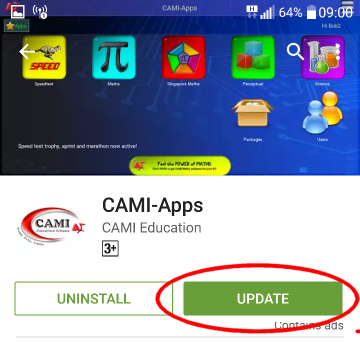
A similar Update would be available from the Apple AppStore.
You may then Update your Framework from the appropriate Appstore to get the latest features installed.
A number of software modules are also available for purchasing from the CAMI-Apps store.
These products include Mathematics, Singapore Maths, Perceptual Skills for the Foundation Phase (pre-school) children, and Science for the higher grade kids.
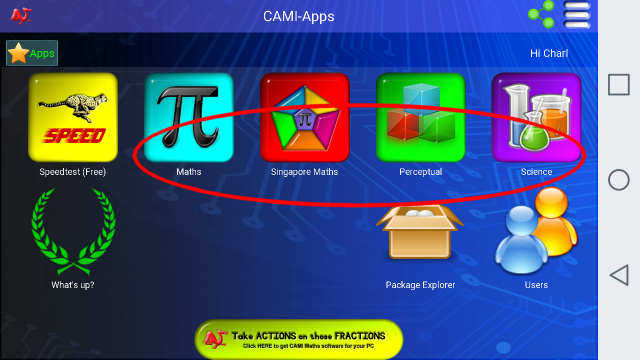
Note that the extra material for expansion of the CAMI-Apps system is only available from the CAMI-Apps store.
Because of the fact that many users can share one mobile Device, a system has been implemented to allocate the products to the Username on a Device.
For example, a Parent can run the Free SpeedTest App on her Tablet, yet she can buy a Perceptual Skills system for her 4-year old daughter running on the same Device as a second user. With her unique Username, the daughter will have sole access to the Perceptual system.
In addition, the Parent may purchase a Grade (Year or Level) 2 Singapore maths system for her son, also using the same Tablet. With his unique Username, the son will have sole access to the Singapore mathematics system.
When the system start up, or when a user in changed on a Device, the system will automatically check with the CAMI-Apps server to see if there are any Updated Educational software available. You may notice the Updating Activities at the top of the screen on Start-Up:
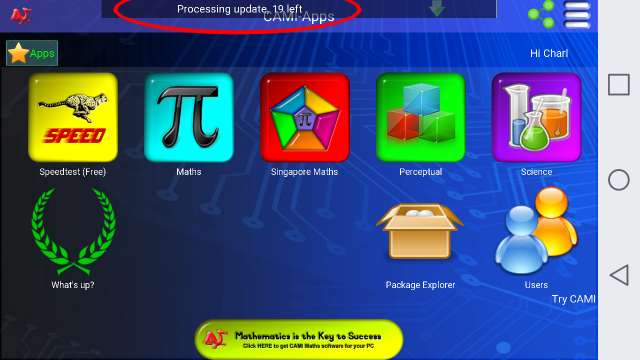
If newer material is available, your system will be updated free of charge to the latest standards.
You may switch off the Automatic Updating process by invoking Option 4 from the Settings menu. Remember to change the Settings for every user on the Device.