Settings per user


Each user on the Device may wish to customise the System to his liking.
Clicking on the "Hamburger" button in the top right hand corner bring the following Menu to the currently Selected User, from where he can select to change the Options in his Settings file:
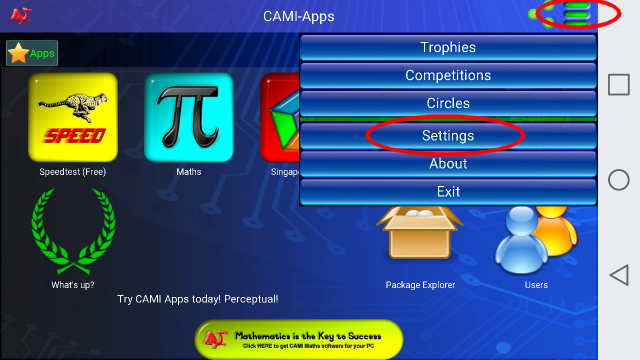
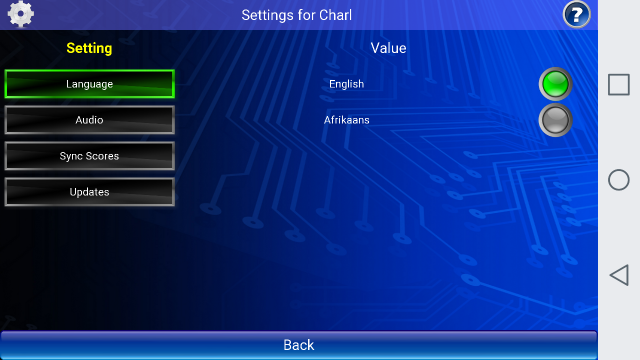
1. The first Option is for each user to change the Language of the System.
Conceptually, one user can use the CAMI-Apps System in the English Language whereas his bother my be using the same Device and prefer to see the system in the Afrikaans language.
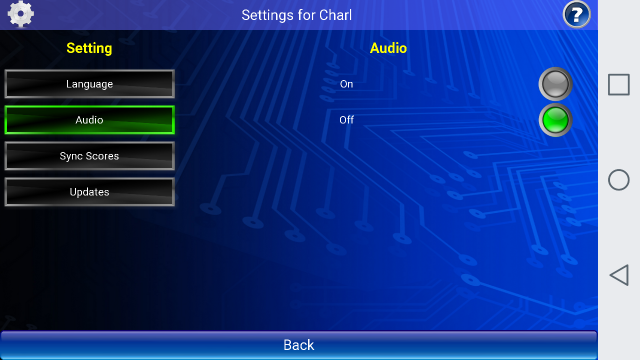
2. The next Option is to change the Audio from ON to OFF.
Older students (and their parents) may not like the App to emit sounds, but the younger kids love the Sounds in the System.
Here you can Enable or Disable the sounds for every user on the Device:
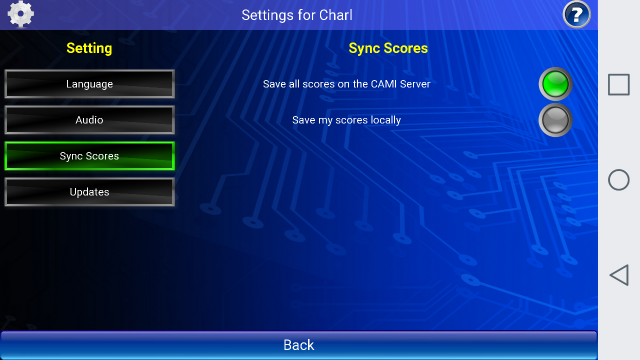
3. By default, all the scores are written up to the CAMI Server from which the user can draw various reports and compete with other users via the Internet.
Should the user wish not to broadcast his scores, then he may opt to store them locally on the device.
4. The Updates option deals exclusively with Educational Material obtained from the CAMI server.
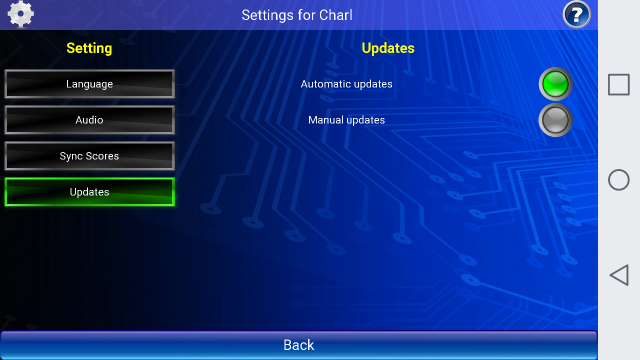
You may leave it on Automatic Updates for every user.
The next section in the manual will deal with the topic of having two updating systems.