Do a Speed Test


Once you are Registered, you can now start working with the CAMI-Apps system:
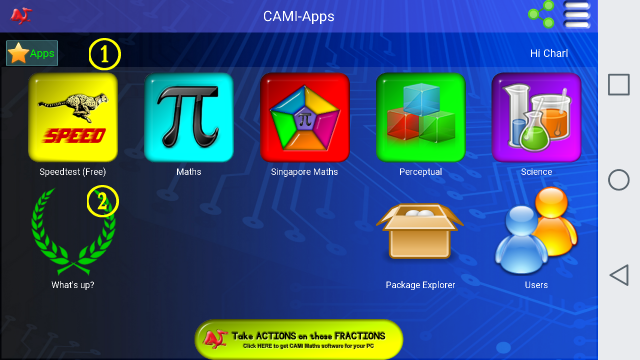
B. Click on the Speed Test icon to start a Speed Test.
Choose one of the 6 Standardised Speed Tests from the following list of available competitions:

Each Speed Test will run for 60 seconds.
To select the first Speed Test (that will test your addition skills), you may click on the long button on top, or by clicking on the red dot to the right of the long button.
It is therefore easy for smaller children to navigate if their parents ask them to click on the Red Button.
C. Once you have completed the test, you may click on the "What's Up" icon to see the results.