School users at Home


If a school uses the CAMI-Apps system in class, the students will be allocated a Username and a Password per student in that school. (In fact, CAMI will assist the school to import their class lists into the CAMI-Apps system).
The child can now come home with that Username and Password and enter that onto the Device at home, thereby keeping his scoring file intact.
His parents would be seeing this greeting screen:
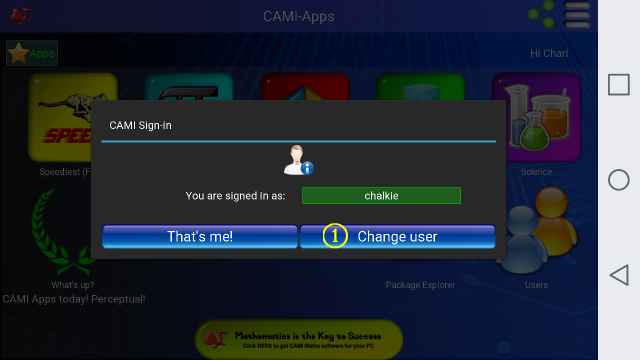
The parent can now click on the B Change User button, where he will see the following screen:
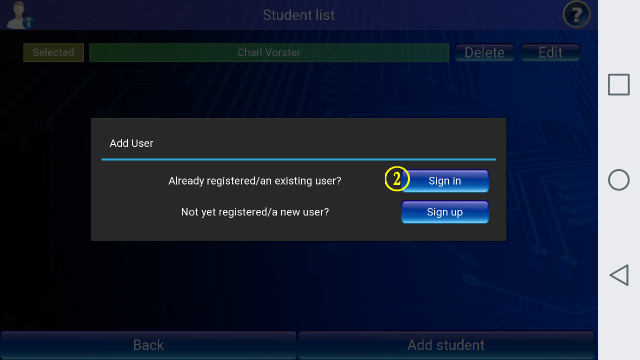
Because the child has already been registered at school, he may now click on the C Sign In button to see the next screen where he can Input the D Username and E Password that he was allocated by the school, and which he has brought home from the school:
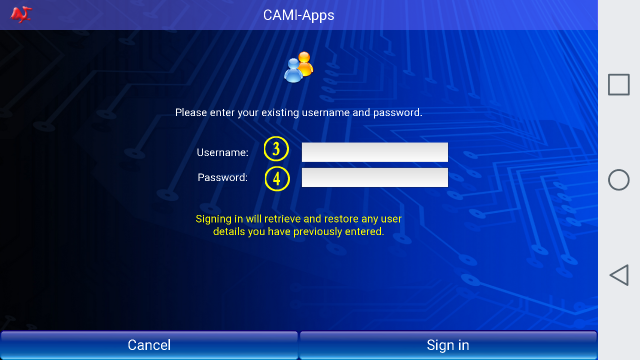
The CAMI-Apps System can now be personalised further per user by going into the Settings screens.